
 Coaxial Cable Assembly
 Microwave Test Cable
 Coaxial RF Connector
 Coaxial RF Adapter
 Coaxial RF Termination
 Coaxial RF Test Probe
 Coaxial RF Attenuator
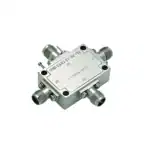 RF Switches
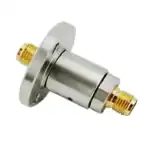 Rotary Joints
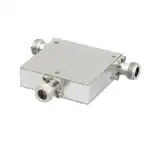 RF Circulators
 Coaxial RF Power Dividers
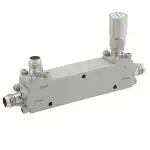 RF Couplers
 RF Filters
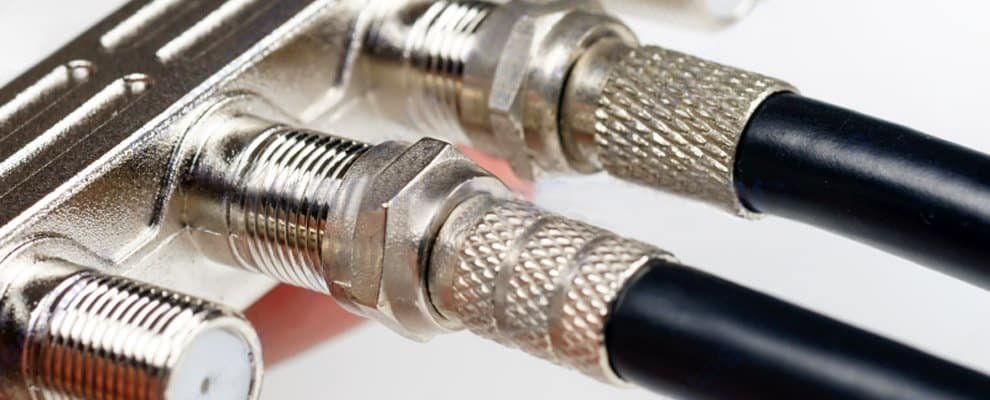
What is an RF Cable?
Using a solid center conductor and multilayer shielding, this rf to tv design suppresses external noise and preserves impedance for reliable reception. It is engineered to connect the coaxial cable quickly and securely, reducing installation complexity and ensuring stable performance in broadcast, hospitality, and large AV projects. As a vertically integrated manufacturer and trading partner serving enterprise customers, we provide ruggedized terminations, tailored lengths, and rigorous quality testing. Our full spectrum services from extrusion through assembly cut procurement time, improve grounding, reduce lifecycle costs, ensure code compliance, and facilitate fast replacements. The 50 ohm rf cable and diverse rf cable connectors types offer enhanced compatibility, minimize signal degradation, and support seamless integration across various systems and environments for consistent operation.
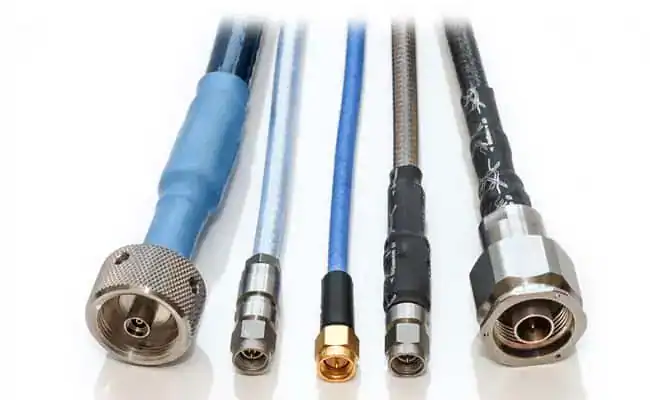
Unlike HDMI cables (for digital video) or optical cables (for audio), RF cables handle both analog and digital signals for TV broadcasts. For users, understanding this distinction is key when sourcing RF cable assemblies for large-scale setups.
Why Use an RF Cable with a Smart TV?
Smart TVs come with an RF input—often labeled “ANT/CABLE IN”—but why is it needed? The problem is simple: while streaming dominates, many businesses still rely on broadcast or cable channels for live content, like news or sports. An RF cable for TV solves this by linking the TV to an RF cable antenna or cable service.
However, signal quality can vary. Factors like cable length or poor shielding can weaken performance, a challenge businesses must address when equipping multiple TVs.
RF Cable Types Used in Smart TV and Broadcast Systems
RF Cable Comparison for Smart TV Applications
| Cable Type | Main Function | Typical Application | Selection Advantage |
|---|---|---|---|
| Standard Coaxial Cable | Transmit TV RF signals | Home TV antenna and cable connection | Reliable signal transmission |
| RF Signal Cables | Carry RF broadcast signals | Professional TV and communication systems | Stable signal quality and shielding |
| RF Jumper Cables | Connect RF devices over short distances | Equipment connection and testing | Flexible installation |
| Custom RF Cable Assembly | Customized cable and connector solution | Commercial TV systems | Optimized length and integration |
How Does an RF Cable Work on a Smart TV?
Connecting RF Cables to Antennas and Cable Systems
The RF cable connects your smart TV to an external source:
- Antenna: An RF cable antenna setup delivers free over-the-air channels.
- Cable Service: It links to a cable outlet for subscription channels.
RF Signal Flow and Connection Examples
| Common RF Signal Source | What It Sends to the TV | Typical Use | Why It Matters |
|---|---|---|---|
| Over-the-air antenna | Free broadcast TV channels | Homes that receive local channels through an antenna | Gives the TV a direct broadcast signal without internet or a set-top box |
| Cable wall outlet | Paid television channels through a coaxial line | Standard cable TV installations | Provides a stable RF feed for channel tuning through the TV or cable box |
| Cable splitter | The same RF signal shared with multiple devices | Homes with more than one TV or tuner | Lets one signal source serve several rooms, though signal strength may drop |
| Set-top box RF output | A modulated channel signal from a receiver | Older TV systems and legacy setups | Converts the box output into a format the TV tuner can read |
| VCR or DVR RF output | A recorded or passed-through TV signal | Older recording and playback systems | Allows the television to receive video through a single coax connection |
| Satellite receiver RF output | A channel signal converted for TV input | Some legacy satellite installations | Makes the satellite feed usable on TVs with standard antenna inputs |
| RF modulator | A converted audio-video signal turned into RF | Connecting older devices to modern or older TVs | Helps devices without direct TV-compatible output still display on the screen |
| Distribution amplifier output | A boosted RF signal sent to multiple endpoints | Larger homes, offices, or multi-TV systems | Helps maintain signal quality when the line is long or split many times |
RF Signal Transmission Process
The cable carries radio frequency signals to the TV’s tuner, which decodes them into audio and video. For businesses, using high-quality RF coax cable assemblies ensures consistent signal strength across multiple units.
How to Select the Right RF Cable for Smart TV Installations
Selecting the correct RF cable requires evaluating frequency requirements, cable length, shielding level, impedance matching, and connector compatibility. The right cable configuration helps installers achieve stable signal transmission and reduce maintenance issues in large-scale TV installations.
RF Cable Selection and Installation Guide
Selecting the Right RF Cable
For optimal performance, consider these options:
- Standard Coaxial RF Cables: Affordable and effective for small setups.
- Custom RF Cable Assemblies: Tailored for businesses needing specific lengths or connectors, ideal for hotels or offices.
Look for:
- Shielding: Reduces interference.
- Length: Shorter cables minimize signal loss.
- Connectors: Match your TV’s RF input (e.g., F-type connectors).
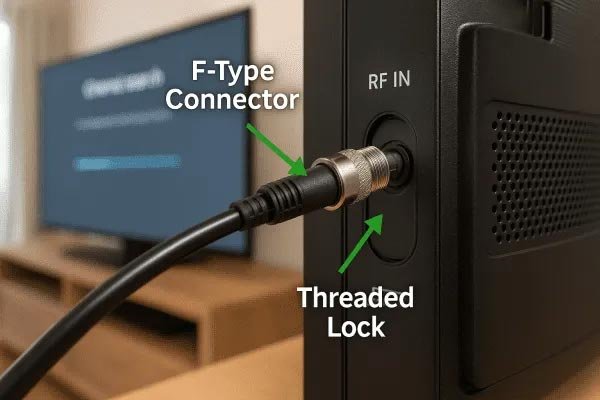
Connecting an RF Cable to a Smart TV
- Find the “ANT/CABLE IN” port on your TV.
- Attach one end of the RF cable to the port.
- Connect the other end to your antenna or cable outlet.
- Scan for channels via the TV menu.
Troubleshooting Common Issues
- Weak Signal: Use a shorter RF coax cable or reposition the antenna.
- No Picture: Ensure secure connections and correct input settings.
- Interference: Upgrade to custom RF cable assemblies with better shielding.
The cable carries radio frequency signals to the TV’s tuner, which decodes them into audio and video. For businesses, using high-quality RF coax cables ensures consistent signal strength across multiple units.
Recommended RF Cable Solutions for Smart TV Applications
| Product type | Recommended example | Best for | Why it helps |
| RG6 coaxial cable | THE CIMPLE CO RG6 Coaxial Cable or Channel Master RG6 Coaxial Cable | Main TV feed from antenna, cable outlet, or splitter | RG6 is a standard 75 ohm cable type used for TV, satellite, and antenna distribution, and premium versions are designed for low-loss, longer runs. |
| Short RG6 jumper cable | Nixsto RG6 Coaxial Cable or Superbat TV Coax Cable | Tight spaces behind TVs and set-top boxes | A short jumper reduces clutter and keeps connections neat while still carrying the RF signal cleanly. |
| Coaxial splitter | BlueRigger 2-Way Coaxial Cable Splitter or TKCHAX 3-Way Coaxial Cable Splitter | Sending one RF source to multiple TVs | A splitter lets one coax source feed several devices, which is useful in multi-room TV setups and MoCA-compatible systems. |
| F81 barrel connector | Pasow F81 Barrel Connector or SAISN F81 Splice Barrel Connector | Extending two coax cables end to end | Barrel connectors join two coax lines so you can extend cable length without changing the whole run. |
| Distribution amplifier | Antennas Direct ClearStream JUICE4 | Multi-TV homes with weaker RF signals | A distribution amplifier helps maintain signal strength when one RF source must reach several TVs. |
Key Factors for Reliable RF Cable Selection
Reliable RF cable selection is essential for maintaining signal quality and system stability. Engineers should evaluate cable specifications, shielding effectiveness, connector compatibility, and environmental requirements before deployment.
Conclusion
Understanding the role of an rf cable for a tv is crucial for maintaining consistent signal quality in various applications. An rf coaxial cable efficiently carries broadcast signals with advanced shielding to minimize interference, providing stable connectivity from residential setups using an rf cable for smart tv to complex enterprise-grade video walls. While standard rf coax handles basic installations, commercial projects frequently require custom assemblies, specialized rf cable extension for long-distance runs, and a dependable rf connector for tv manufacturer to guarantee end-to-end system integrity and seamless rf antenna input integration. Choosing the appropriate rf coax enhances picture clarity, reduces operational downtime, and streamlines installation while improving grounding and impedance control for superior performance. Professional video systems depend on tailored rf coaxial cable solutions to accelerate deployment, cut lifecycle expenses, and deliver scalable, code-compliant operations. These robust connectivity options also address common issues like signal degradation and environmental stressors by resisting corrosion and preserving stable electrical properties, ultimately supporting reliable data transmission and reducing maintenance needs across diverse conditions.